
Everything you need
From client management to invoicing: Pfotenbilanz handles your daily admin.
Customer Management
Every client and their animal, in one place.
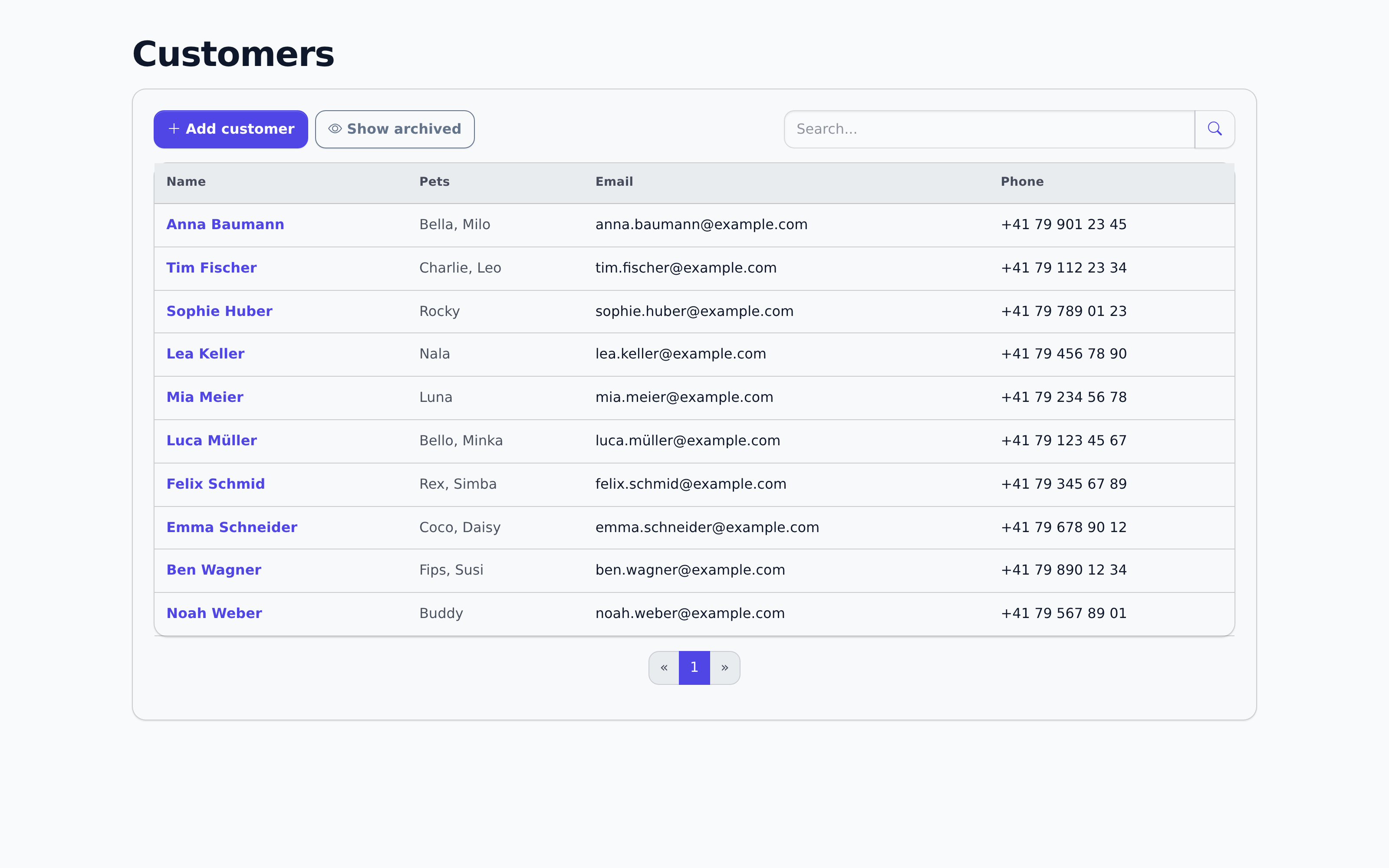
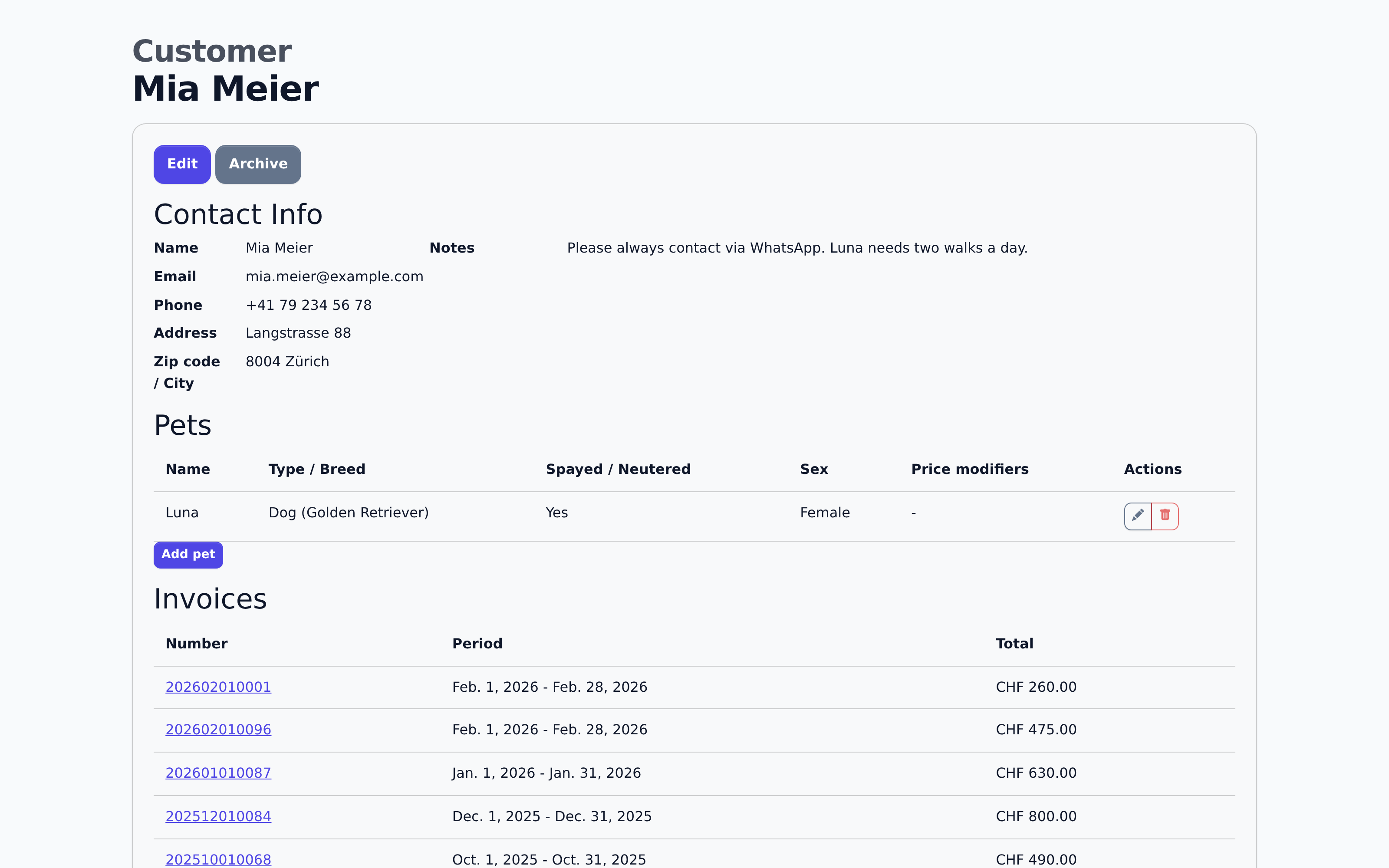
Every client brings an animal with them, often more than one. Pfotenbilanz keeps both together: contact details, booked appointments, and the matching pet profile in one list instead of scattered notes.
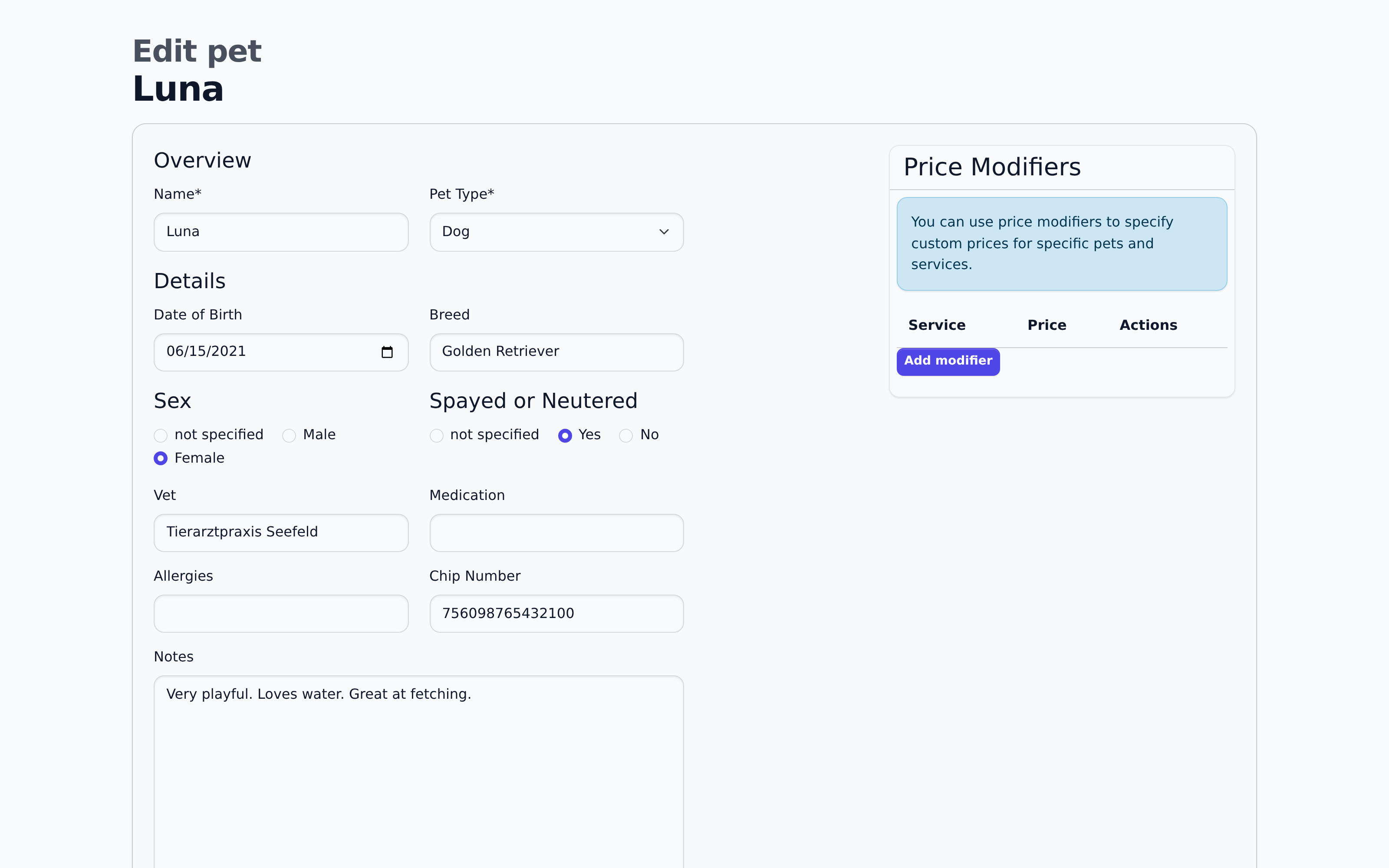
The client detail view shows what matters at a glance: running revenue, open balance, payment history, and the next appointment. The pet profile next to it holds breed, vet, medication, allergies, and notes, right where you need them for the next visit.
Add new clients one at a time or import them, with no index cards or a second spreadsheet running alongside.
Never again "who was that again?"
Service Management
Your services, set up once.
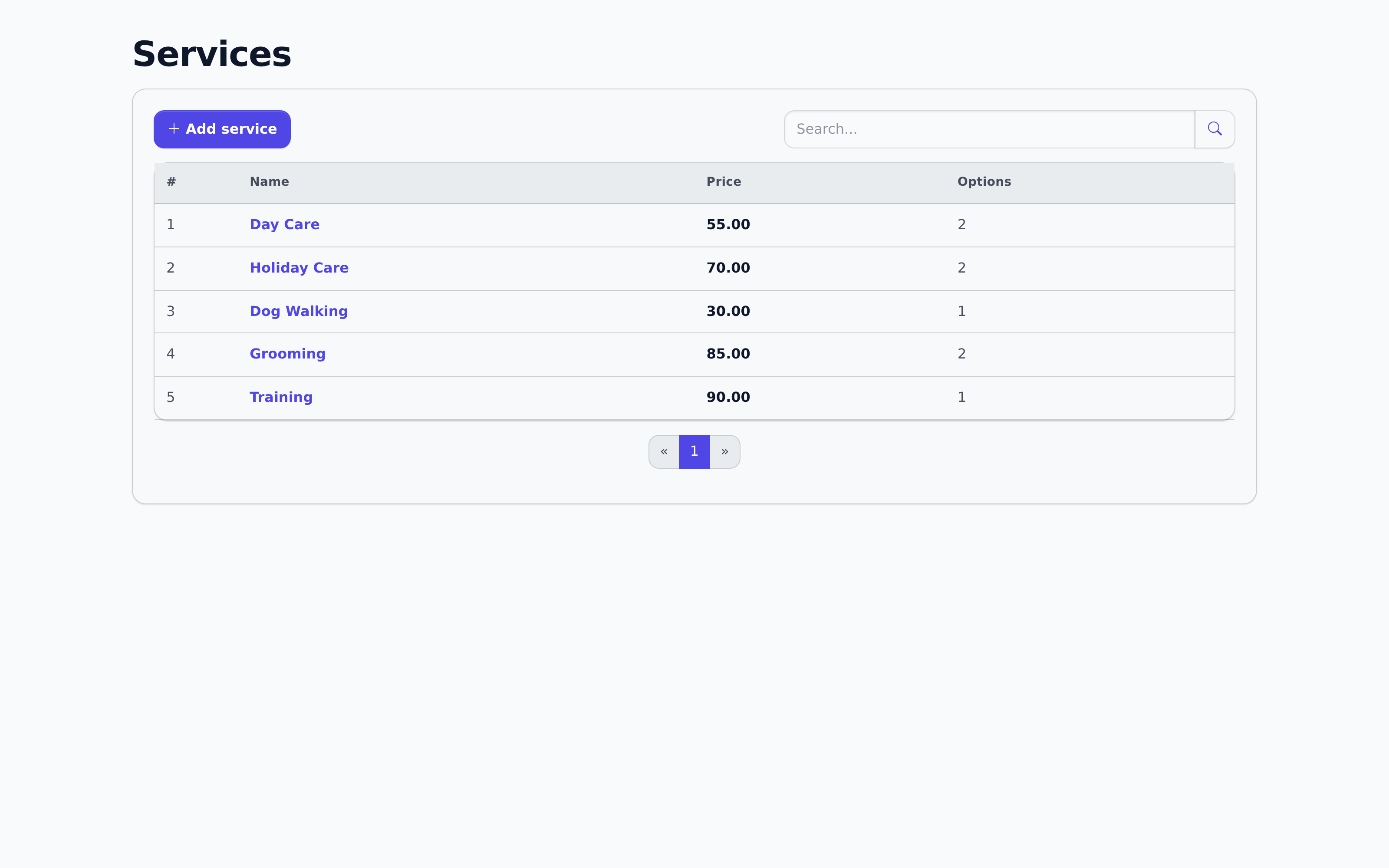
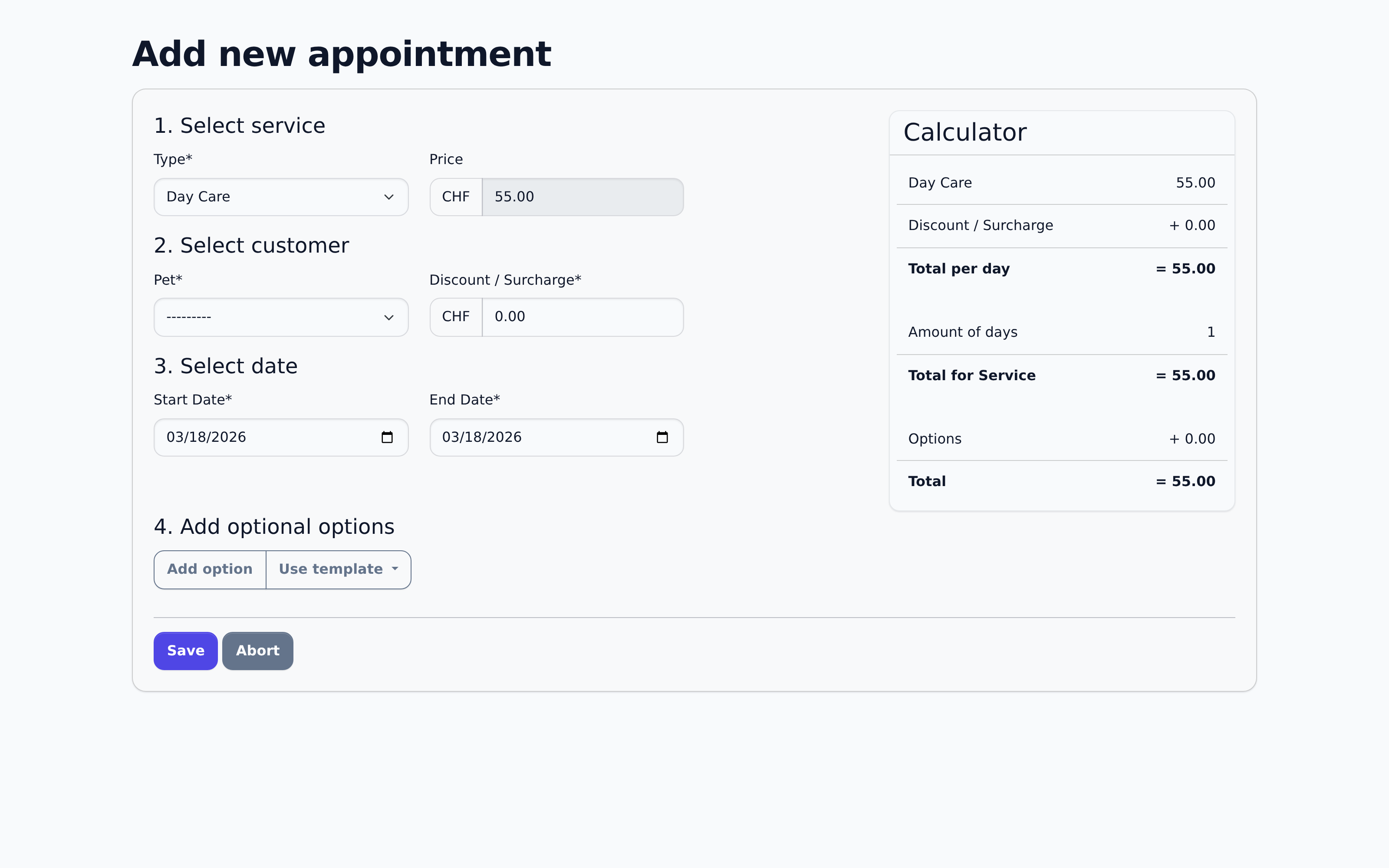
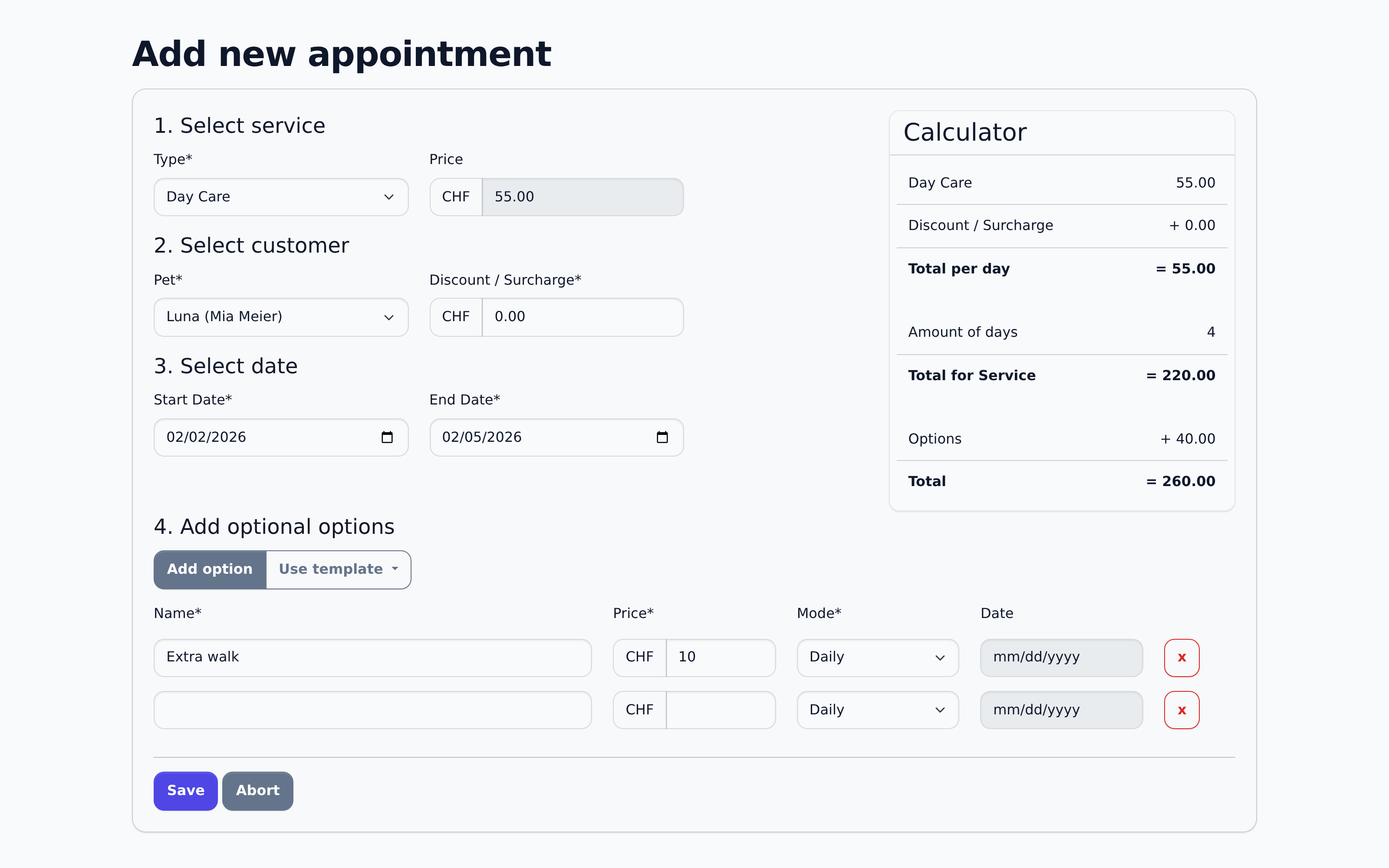
Whether day care, dog walking, grooming, or training: set up each service once with a price and its options, then select it again at every appointment.
When you create an appointment you can add extras from saved templates, or enter your own line item with free text and a price. A per-day surcharge or discount is also possible, for a weekend for example. The calculation updates live, so you see the total before you save the appointment.
Set it up once, select it every time.
Automatic Invoicing
Invoices from a period, not from single line items.
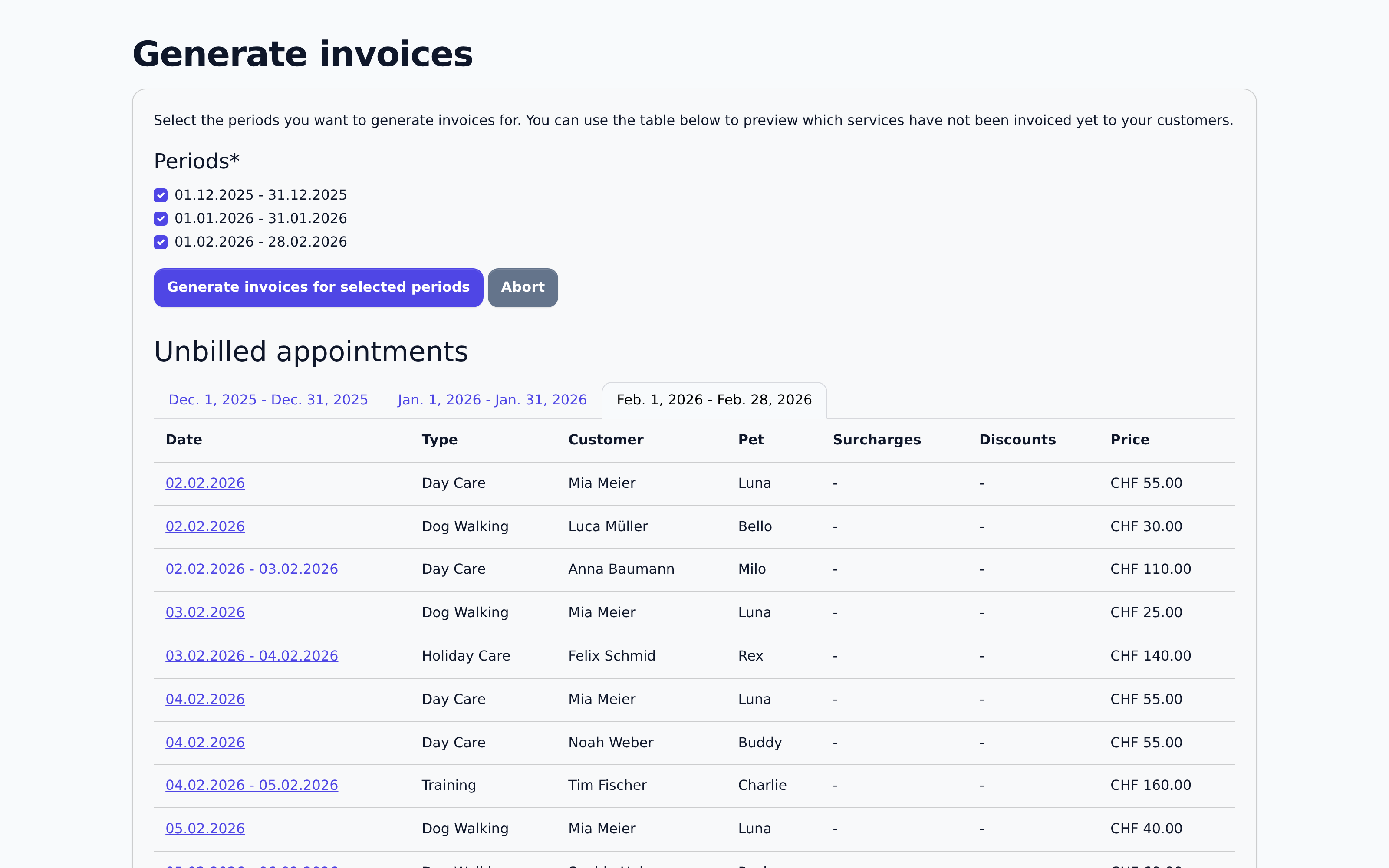
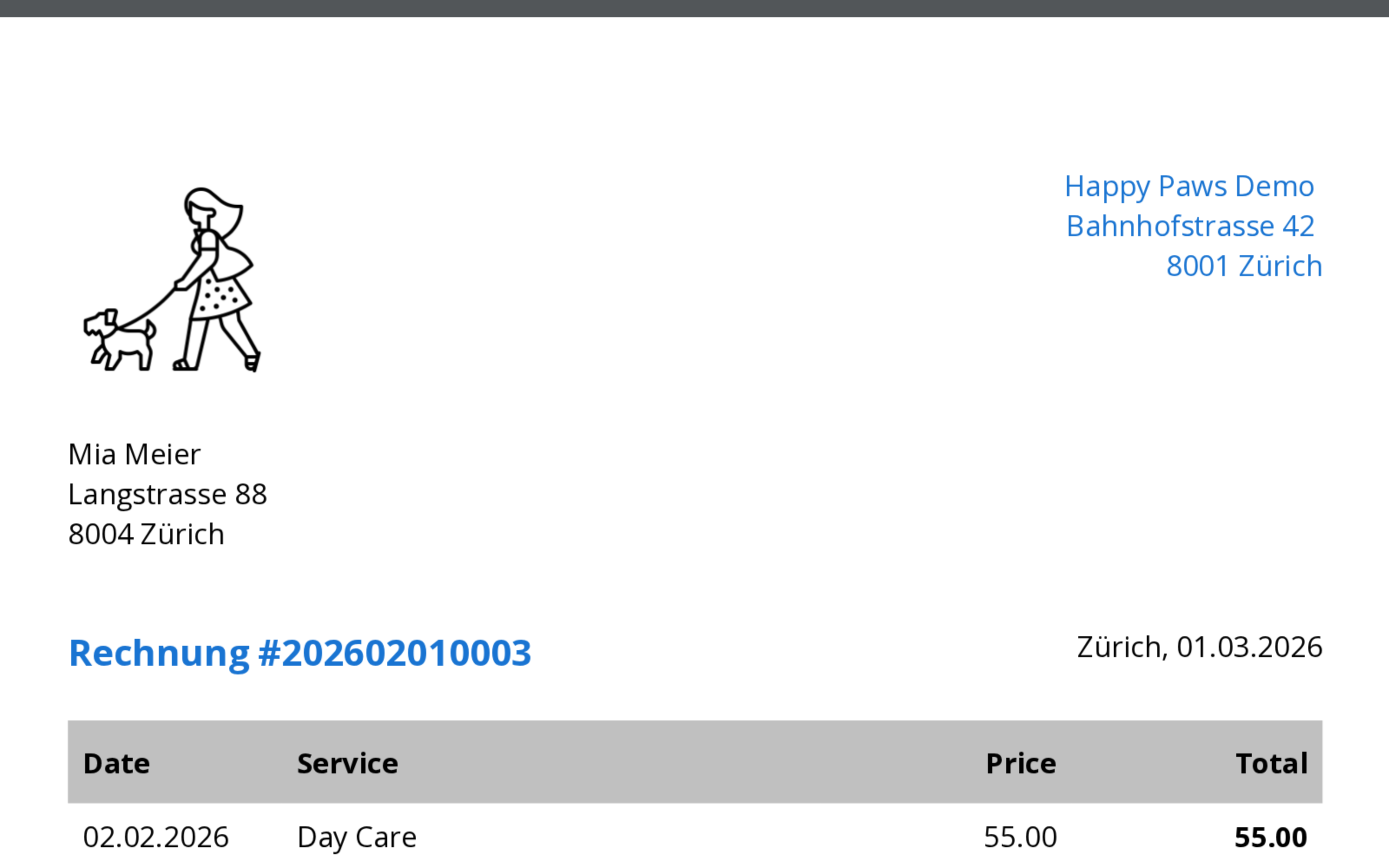
Putting together an invoice by hand from individual appointments takes time. Pick a period instead, and Pfotenbilanz gathers every open booking for that client in that period into one invoice.
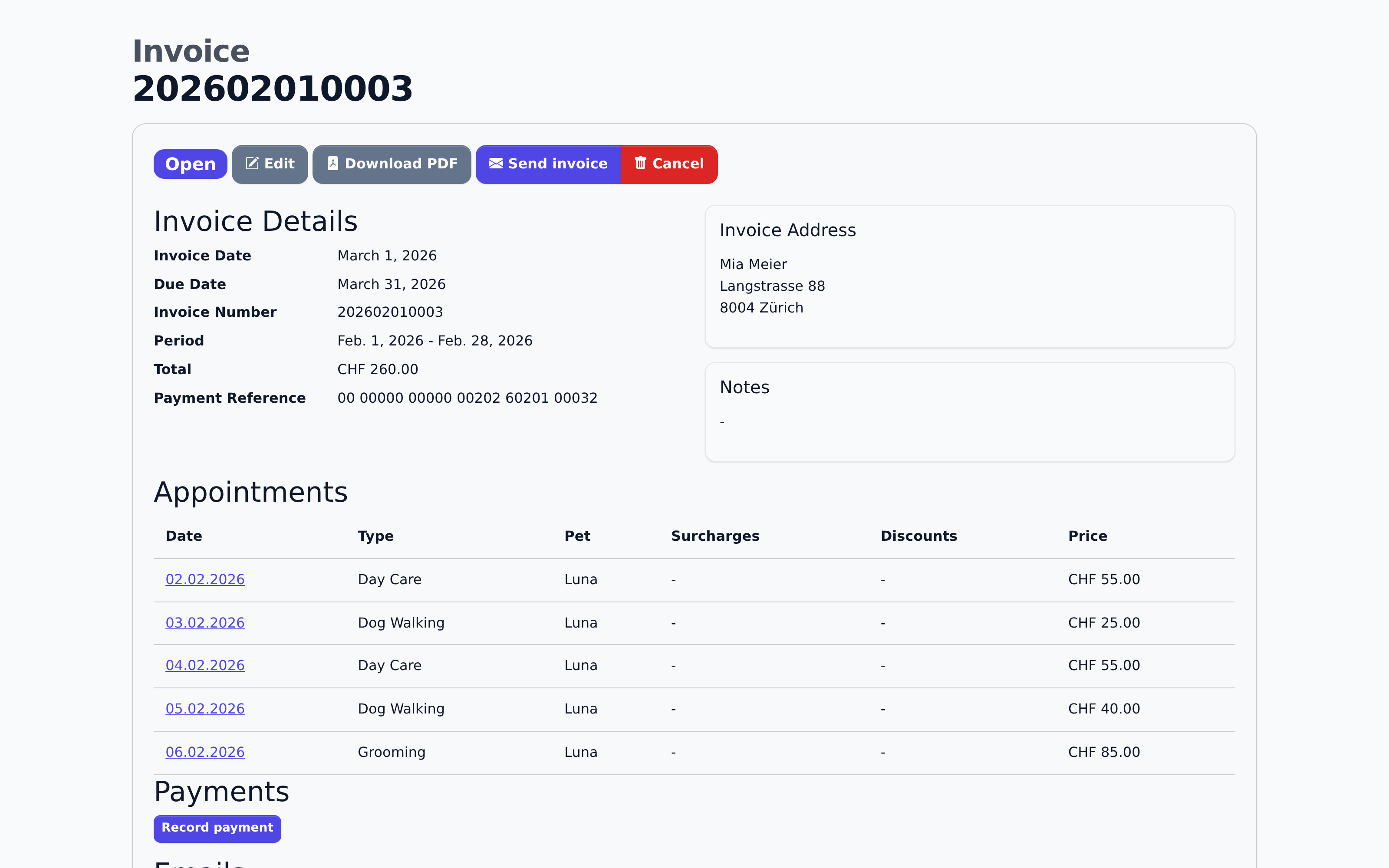
Each invoice moves through a clear status, from draft to open and sent through to paid. Additional line items, such as a taxi ride to the vet, can be added, payments recorded, and a payment reminder sent with one click.
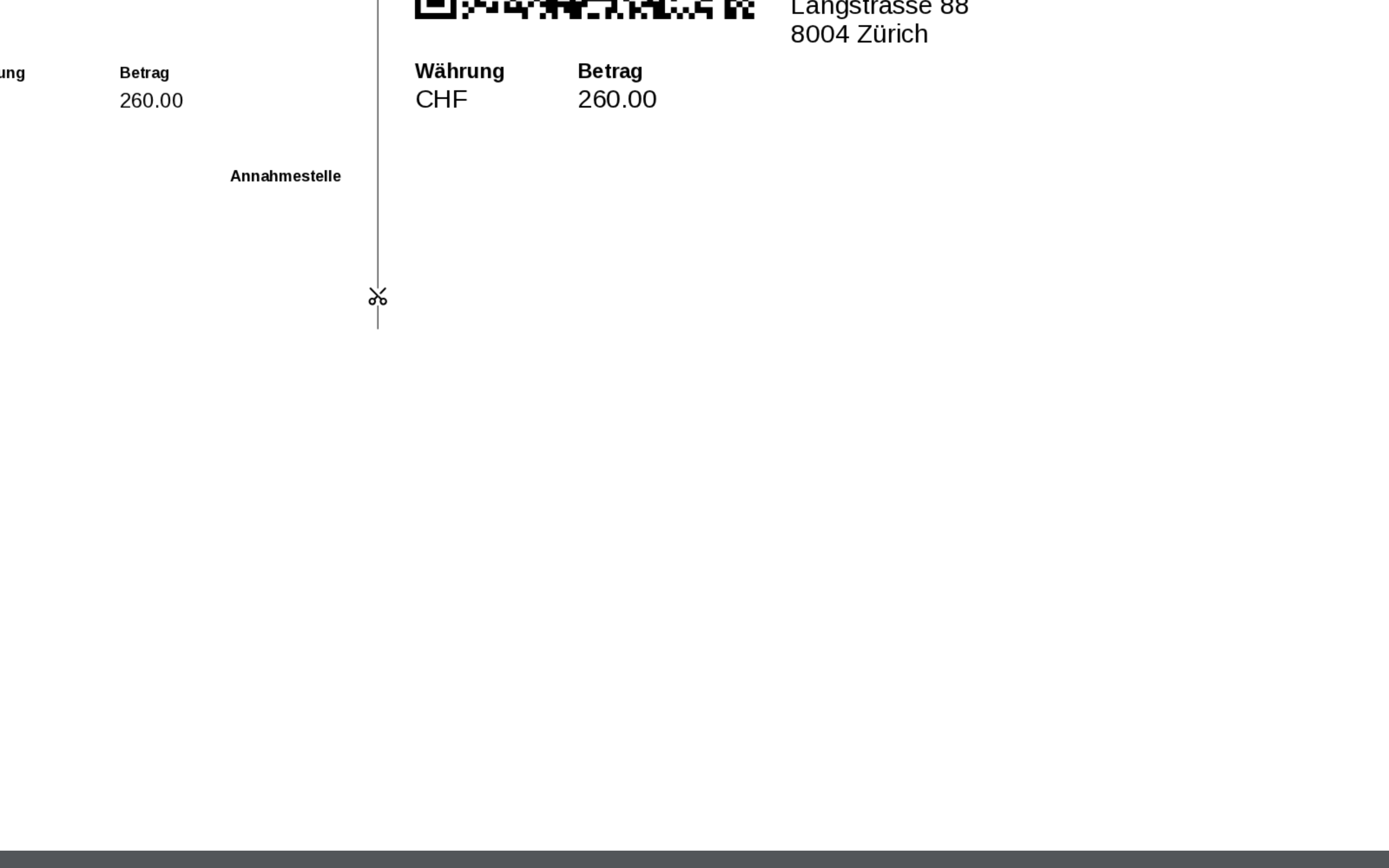
The PDF export includes a Swiss QR-bill that scans directly in any Swiss banking app.
Pick a period, the invoice is done.
Reports & Analytics
Your business year in numbers, not gut feeling.
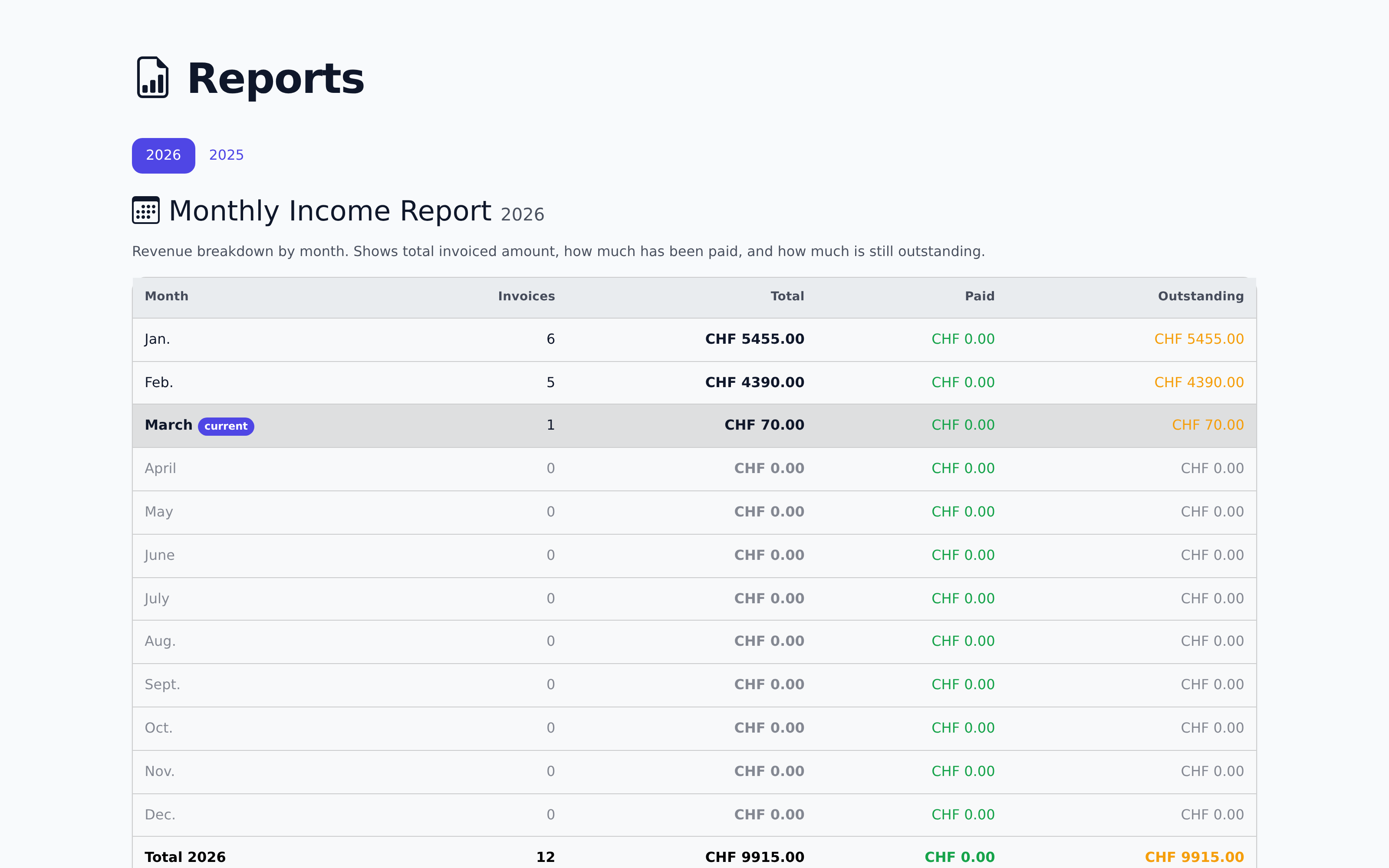
The annual report shows yearly revenue split into paid and open, plus the average invoice amount, monthly average, and payment rate.
Below that come quarterly and monthly figures as bars, a ranking of your top clients by revenue, and an overview of how much each service contributes. All filterable by year.
Data-driven decisions, not guesswork.
Invoice Designer
Invoices that look like your business.
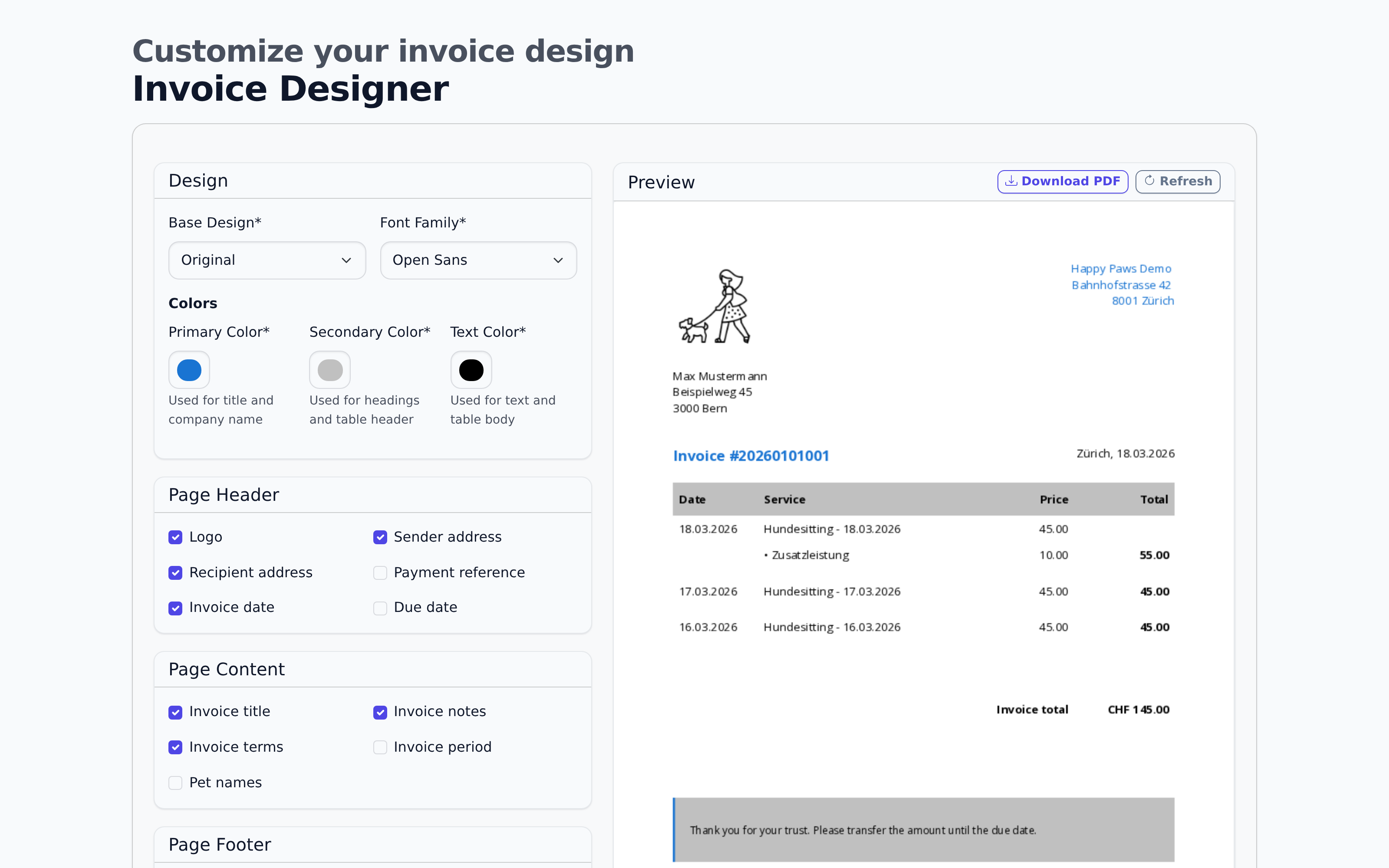
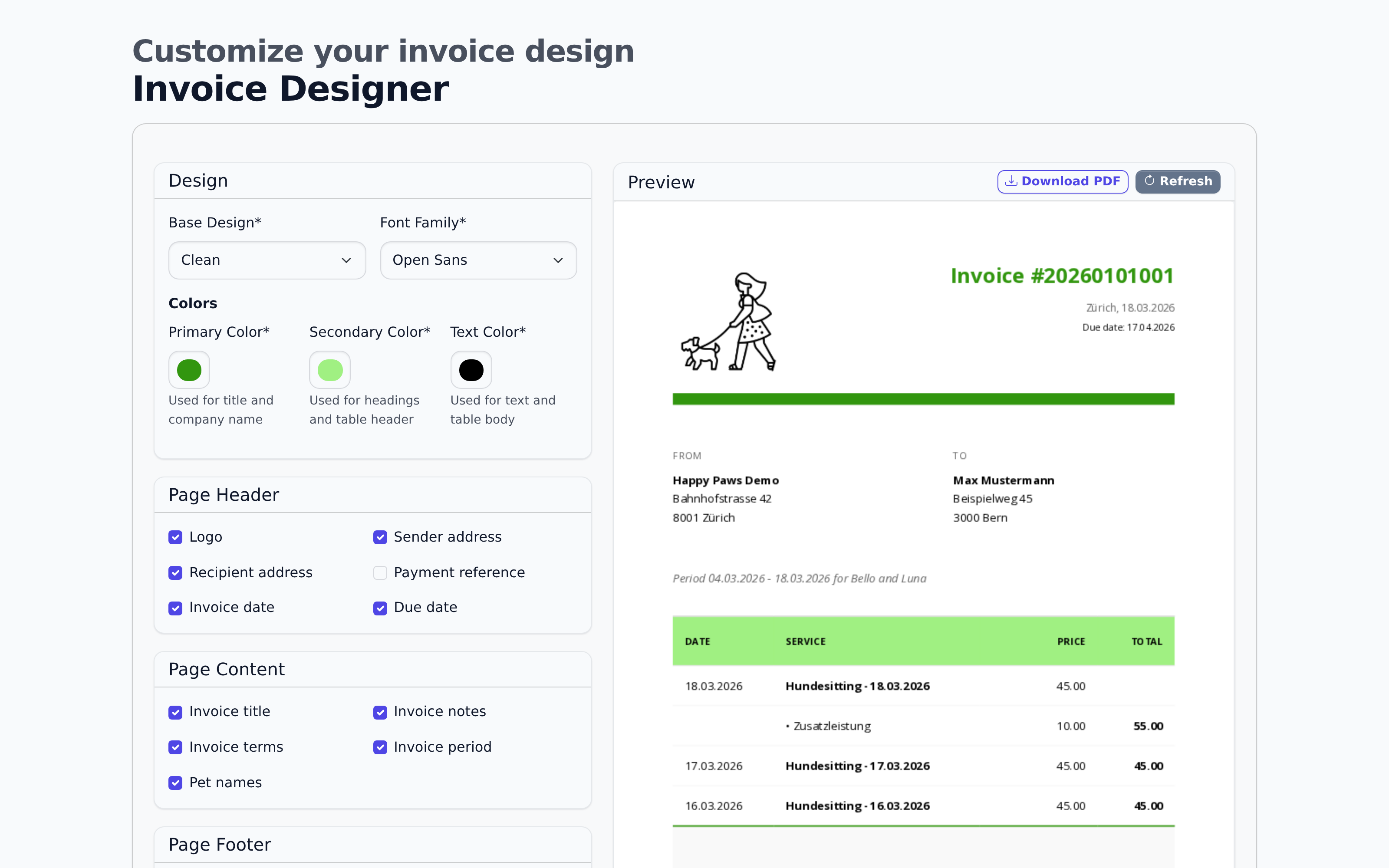
Choose from several templates, set a primary, secondary, and text colour, and pick a font. For every section of the invoice, from the header to the footer, you decide individually which fields appear: logo, notes, terms, reference, and more.
Every change shows up immediately in the preview next to it, using the same sample data as a real invoice. That way you see exactly what your client will receive before you save.
Invoices that look as good as your business.
Ready to simplify your business admin?
Free forever up to 15 active customers. No credit card, cancel any time.
Start for free